
Flux Drive
You have planned the flight on your phone. The FMS wants it on a USB stick.
So it's back to the laptop, export the plan, find the stick, copy the file, walk it out to the aircraft, plug it in, load, walk the stick back. Every crew knows this dance.
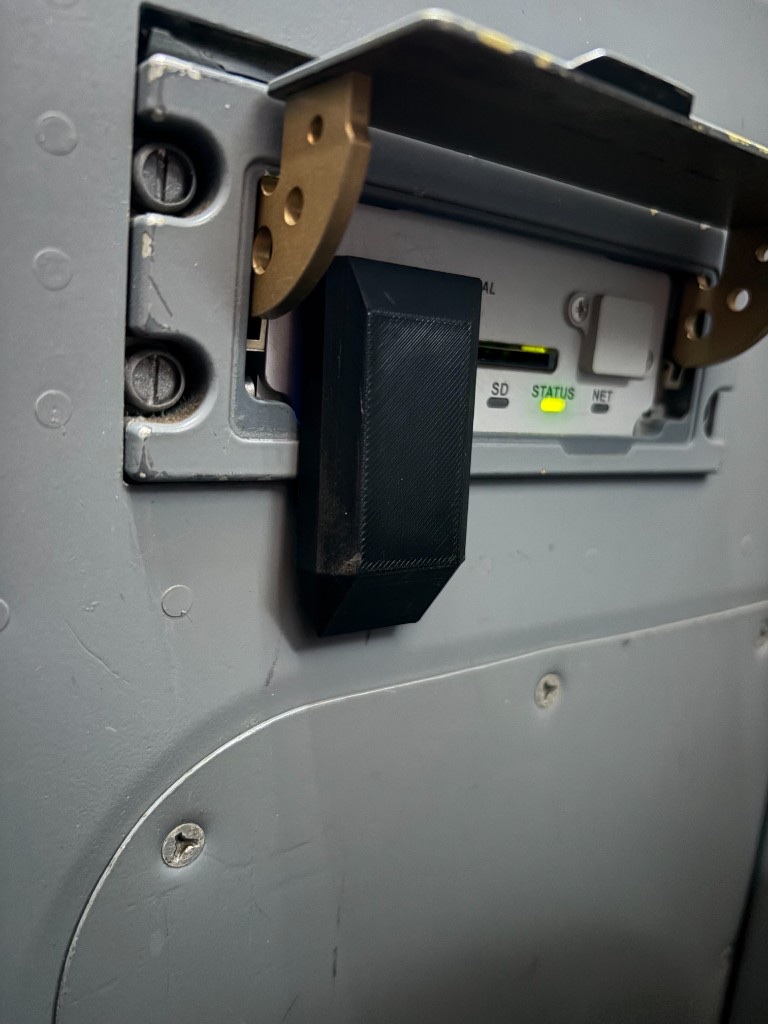
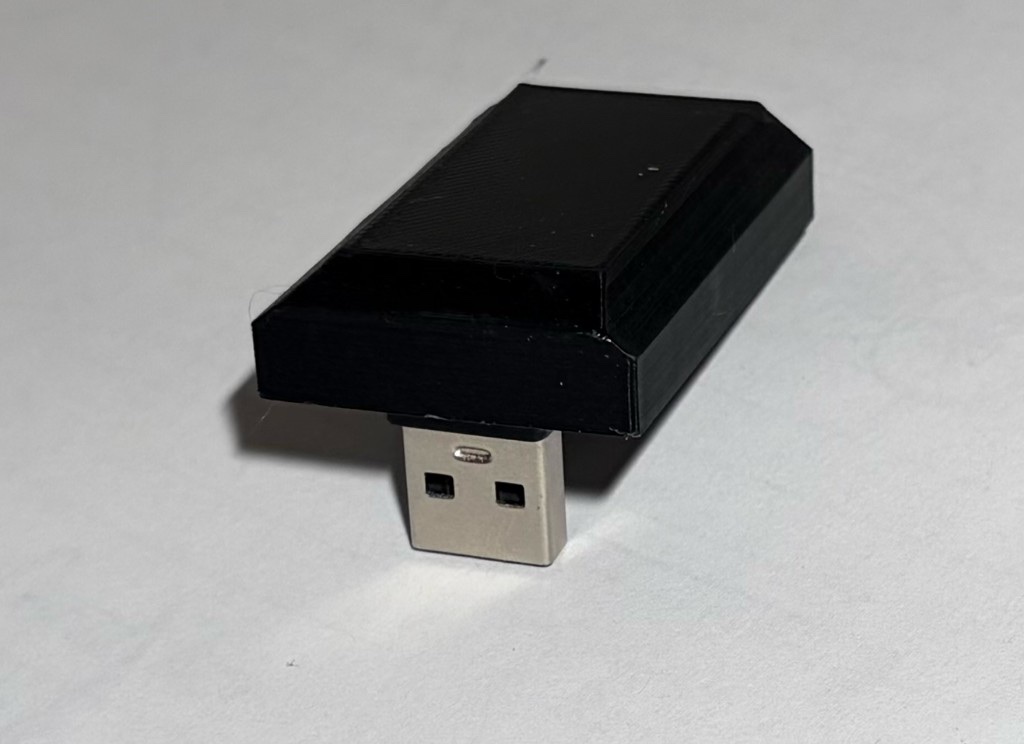
Flux Drive ends it. It is a small USB device that lives permanently in the FMS data port. When your plan is ready in Time and Fuel Aviation, tap Send to Flux Drive. About ten seconds later the plan is sitting in the FMS load page, delivered over encrypted Bluetooth from the phone in your hand. No laptop, no stick, no cables.
The first Flux Drive is designed for the Universal Avionics UNS-1E. To that FMS it is just a USB drive. To everyone else in range it is a locked box: transfers are mutually authenticated and encrypted, the drive only accepts flight-plan files, and the plan erases itself minutes after the FMS has read it.
How it works
-
Plan
Build the day in Time and Fuel Aviation as usual: aircraft, route, fuel.
-
Send
Tap Send to Flux Drive. The phone finds the drive over Bluetooth, authenticates, and streams the plan encrypted — about ten seconds.
-
Load
The FMS sees its USB drive briefly unplug and return with the fresh plan. Load it from the FMS as you always have.
-
Gone
Ten minutes after the FMS stops reading, the plan is erased beyond recovery. Need it again? Resend from the phone.
No more USB sticks
The drive stays in the aircraft. Plans come to it, from any pilot's phone, over Bluetooth. Nothing to carry, lose, or leave in the office.
Secure by design
Modern authenticated encryption on every transfer, and the drive refuses anything that is not a flight-plan file. See Security for the full story.
Self-erasing
The plan is forensically erased after the FMS has read it, and at every power-up. A drive pulled from the aircraft contains nothing.
Fleet-ready
One operator key covers every drive in the fleet. Pilots receive it invisibly inside the company profile — nothing to type, ever.
Invisible in the cockpit
No lights, no buttons, no sound. Powered by the FMS USB port. It draws less than a map light and never needs charging.
No accounts, no cloud
Like everything from TecAv: phone to drive, direct. Nothing leaves the cockpit.
Compatibility
Flux Drive is initially designed for the Universal Avionics UNS-1E flight management system, loading routes from Time and Fuel Aviation on iPhone, iPad, and Android. The UNS-1E is commonly fitted in types such as:
- Beechcraft King Air 90, 200, 300 and 350
- Beechcraft 1900
- Cessna Citation I, II, V, Bravo, Encore, Excel and XLS
- Learjet 31, 35, 45 and 60
- De Havilland Dash 8 Q100 to Q400
- Bombardier Challenger 600 and 601
- Bombardier CL-215 and CL-415
- Pilatus PC-12
- Embraer EMB-120 and ERJ-135/145
- Dassault Falcon 50 and 900
Fitment varies by aircraft and avionics fit. If your UNS-1E already loads from a USB stick, that is the port Flux Drive is built for.
Later versions will be available for any FMS that takes a USB thumb-drive load. If your fleet uses a different USB interface, talk to us.
Specifications
| First FMS | Universal Avionics UNS-1E (later versions: any USB thumb-drive FMS load) |
|---|---|
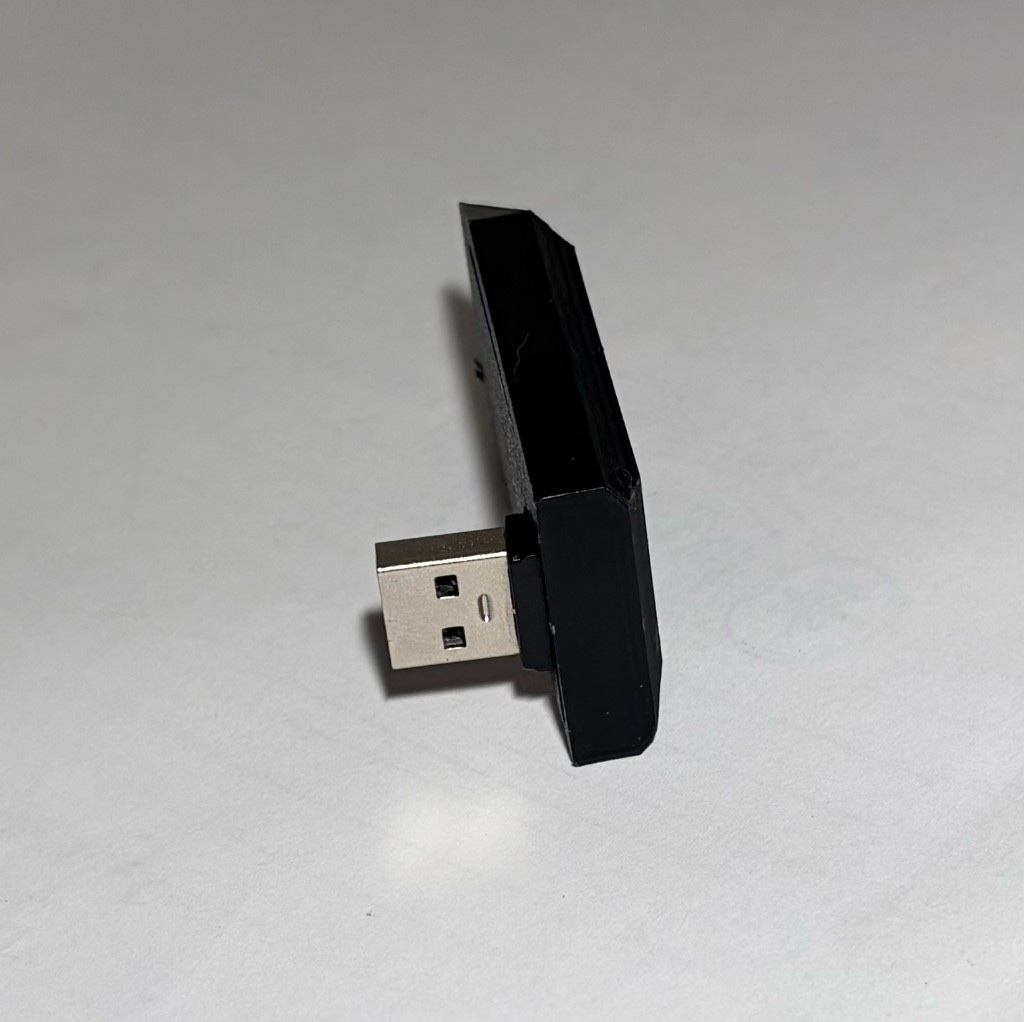
| Connection to FMS | USB-A (mass storage — appears as a standard USB drive) |
| Connection to phone | Bluetooth Low Energy, encrypted (works from anywhere in the cockpit) |
| Power | From the FMS USB port. ~0.1 W standby, ~0.3 W during a transfer |
| Controls | None. No lights, no buttons — deliberately inert |
| Storage | Ephemeral by design: plans are erased after FMS reading, at power-up, and on demand |
| App | Time and Fuel Aviation (iPhone, iPad, and Android) |
The fine print, up front
- Flux Drive is a removable USB device. It plugs into the FMS data-loader port the same way as a thumb drive, and it comes out the same way — it is not installed equipment. As removable media it is not a certified aircraft part and is not certified avionics. It doesn't have to be.
- Flux Drive works only with Time and Fuel. It will not accept a plan from any other app.
- Every transfer is mutually authenticated and encrypted. The drive only accepts flight-plan files — not documents, photos, or other software. The plan is forensically erased after the FMS has read it, at every power-up, and on demand from the app. A drive taken from the aircraft mounts empty. See Security.
- Always verify the loaded flight plan in the FMS — waypoints, distances, and tracks — before flight, exactly as you would after loading from any USB stick.
Flux Drive is in final operational trials. Register your interest at support@tecav.com.au and we will let you know when units are available.