
Time and Fuel Aviation
Time and Fuel Aviation is designed by pilots, for pilots. We all love our Electronic Flight Bags (EFBs). They are the best thing to happen to the aviation industry in the last 30 years. Fantastic products such as OzRunways, ForeFlight, and AvPlan — all excellent.
Time and Fuel is not a certified EFB. It never will be.
This app sits in the gap between your EFB and your pen, paper, and calculator.
It is a robust application that works on Apple, Android, and Windows, in 14 languages. It is cost-effective, and it runs on the device that is always in your pocket — your phone.
We don’t carry our EFBs everywhere. But often we are asked by friends, by clients, and by strangers when least expected: can you fly us from A to B?
That often means a flurry of calculator work and scribbled notes. You are answering the first two primary questions:
- Do we have the time?
- Do we have the fuel?
Only after those two questions can you give a tentative answer. Every aviator knows there is more to planning a flight than time and fuel. Weather, NOTAMs, maintenance, airport suitability, and the rest are just as important. But until the first two big questions are answered, the rest is irrelevant.
See it on the phone
These are screenshots from the App Store listing.
Simple and easy to use
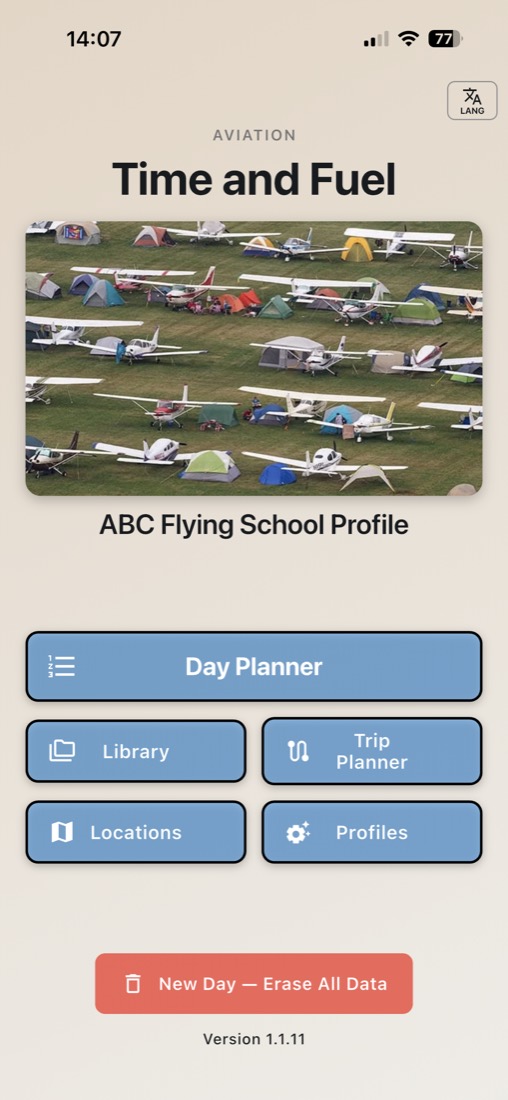
Day Planner, Library, Trip Planner, Locations, and Profiles. The home screen is the same idea on iPhone, iPad, Android, Windows, and Mac.
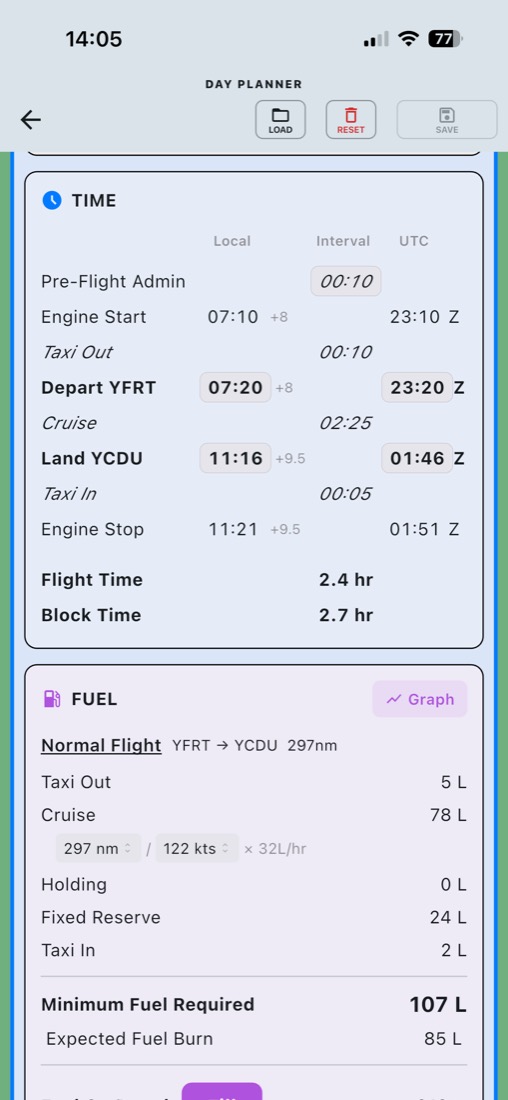
Day Planner
One flying day: local and UTC times down the page, then fuel for taxi, cruise, holding, and reserve. Save a named copy, or try a few options side by side.
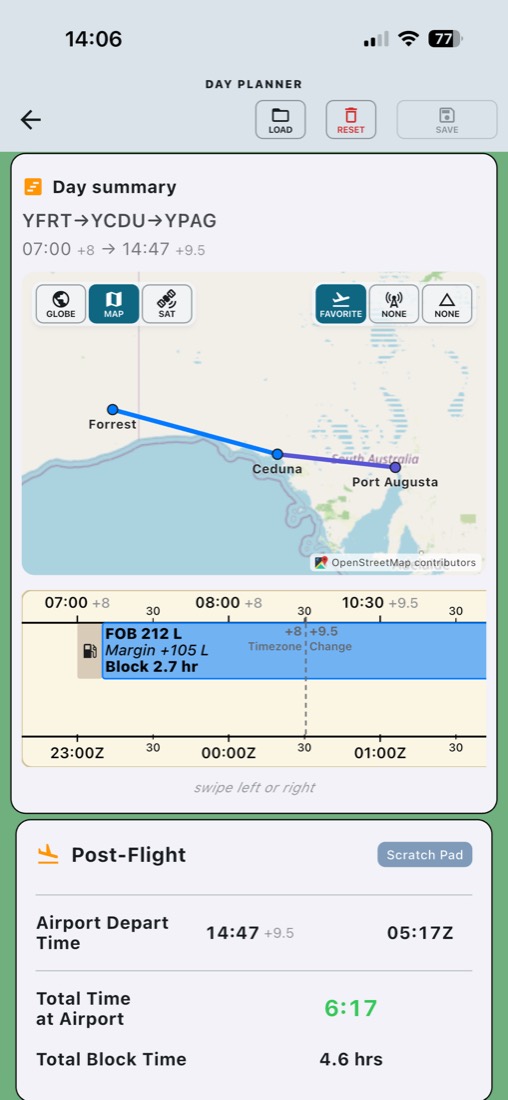
The day on the map
The same day drawn as a route, with fuel on board, margin, and block time on the tape underneath.
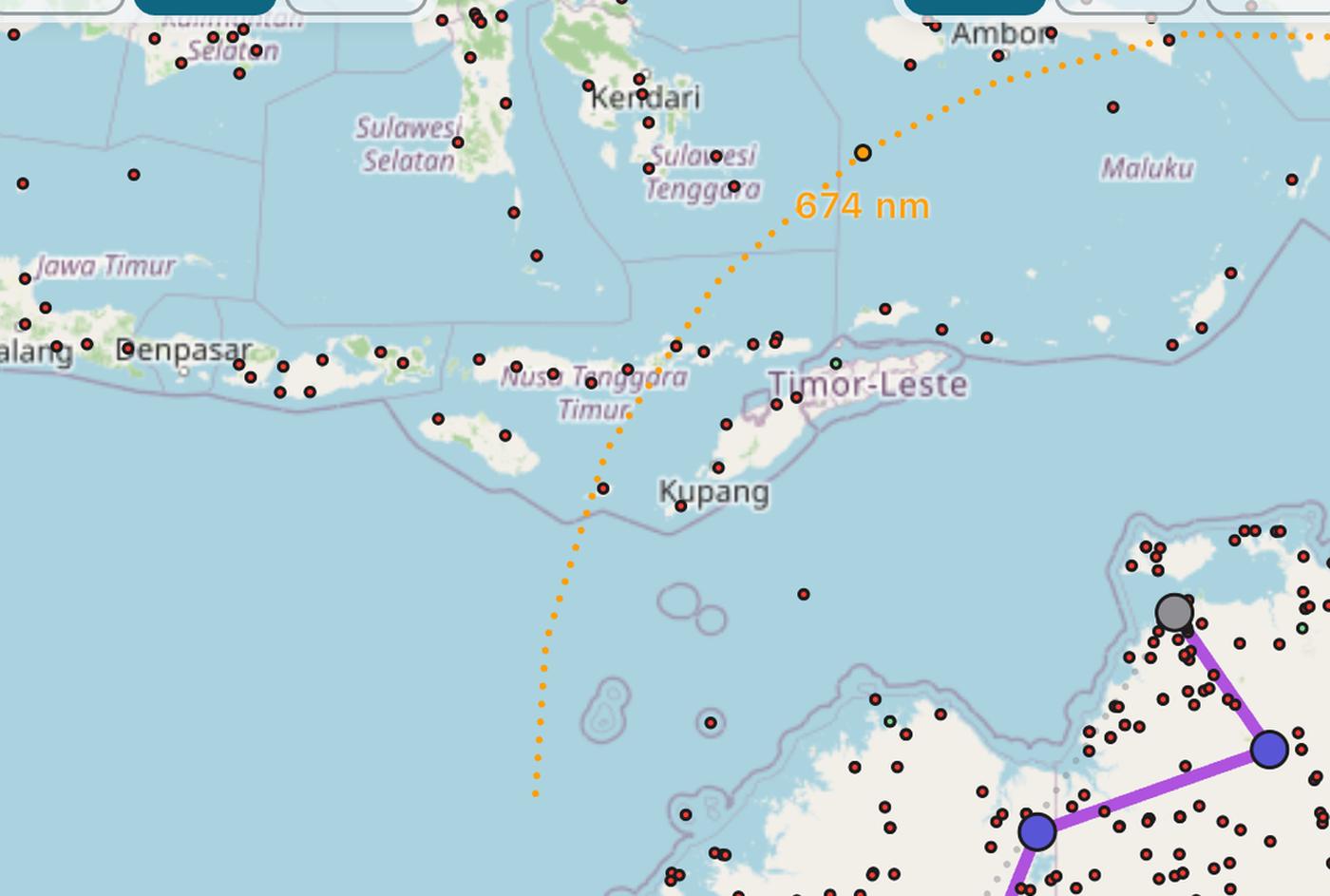
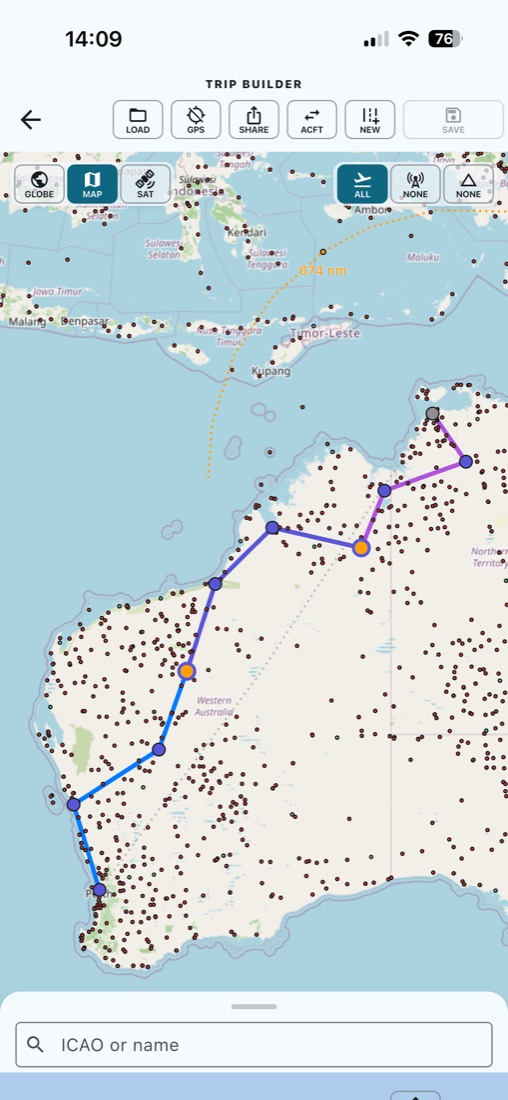
Sketch the trip
Several days, overnight stops, and a map that shows how far fuel and duty will take you.
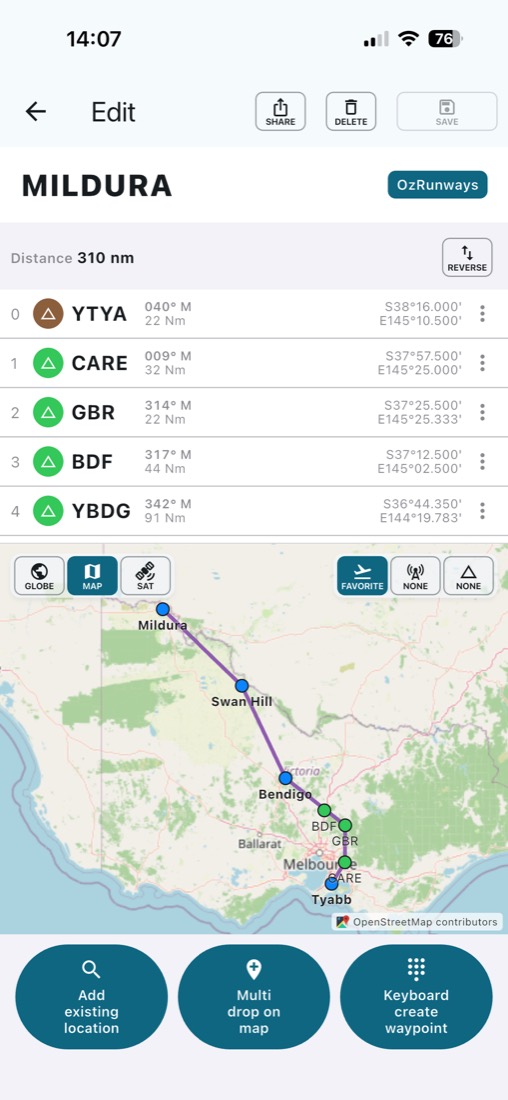
Build the route
Drop waypoints on the map, reverse the leg, and share it to the navigation app you already use.
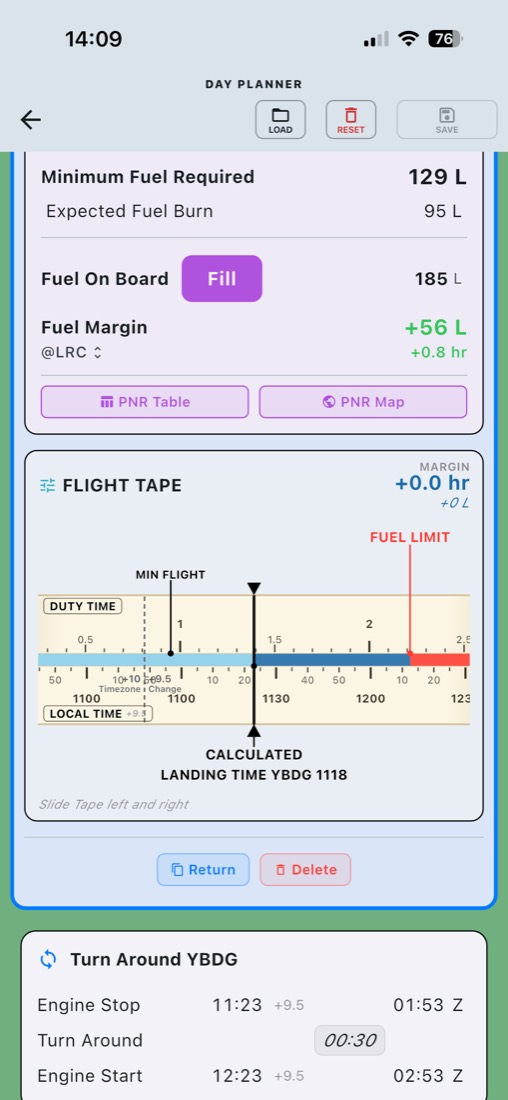
Fuel limit on the tape
Point of no return, fuel on board, and the flight tape for the leg — including a fuel graph for patrol, search, and survey work.
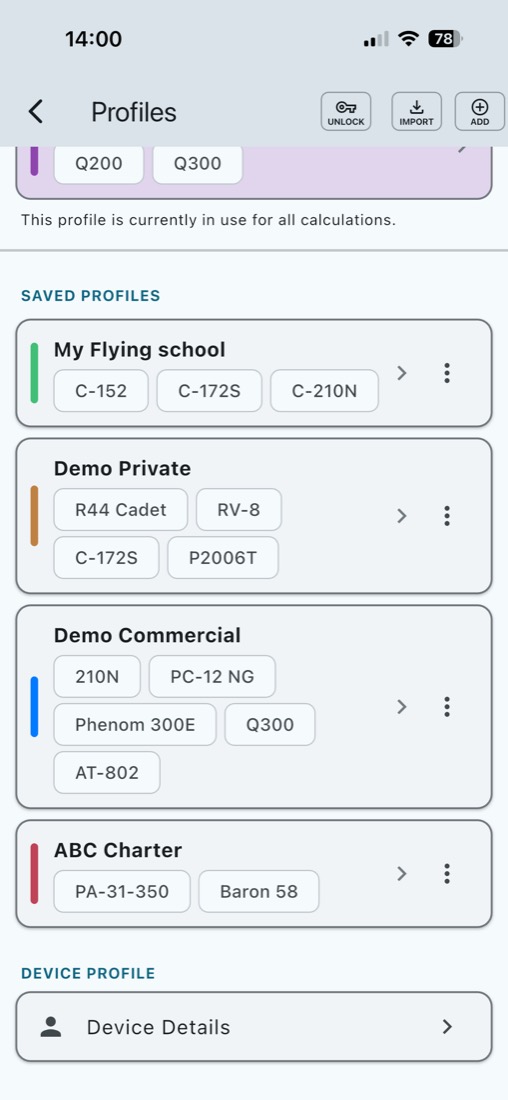
Profiles
Profiles are the personality of the app. The app can have multiple personalities. It can be your official work device, approved by your employer, whilst it can be changed, effortlessly, into a personal recreational flying tool. Change profiles to entirely change the device’s personality. You never fly the work Boeing 737 MAX the same way you fly the Extra 300 on the weekend… except in your dreams.

Duty, the aircraft, and the airport
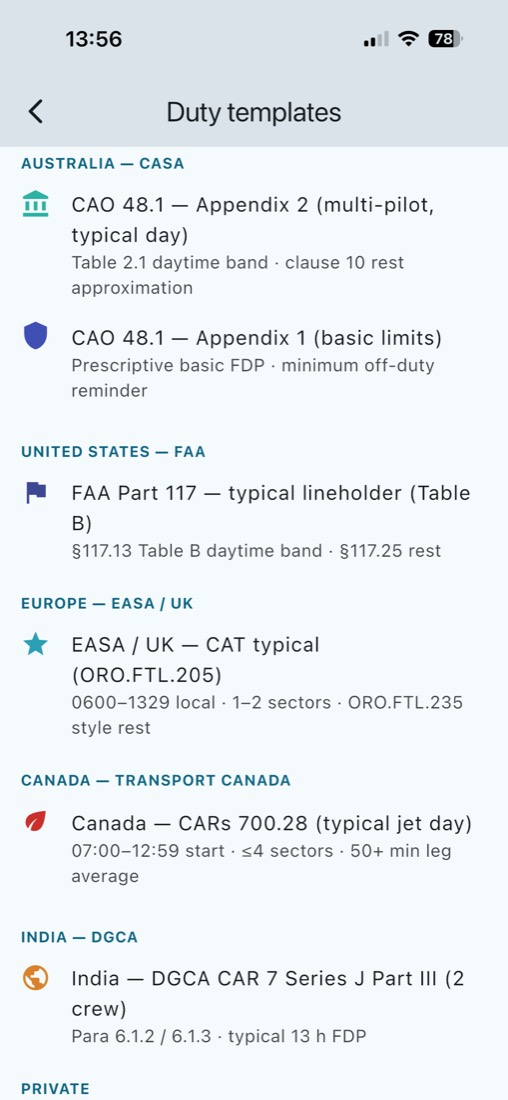
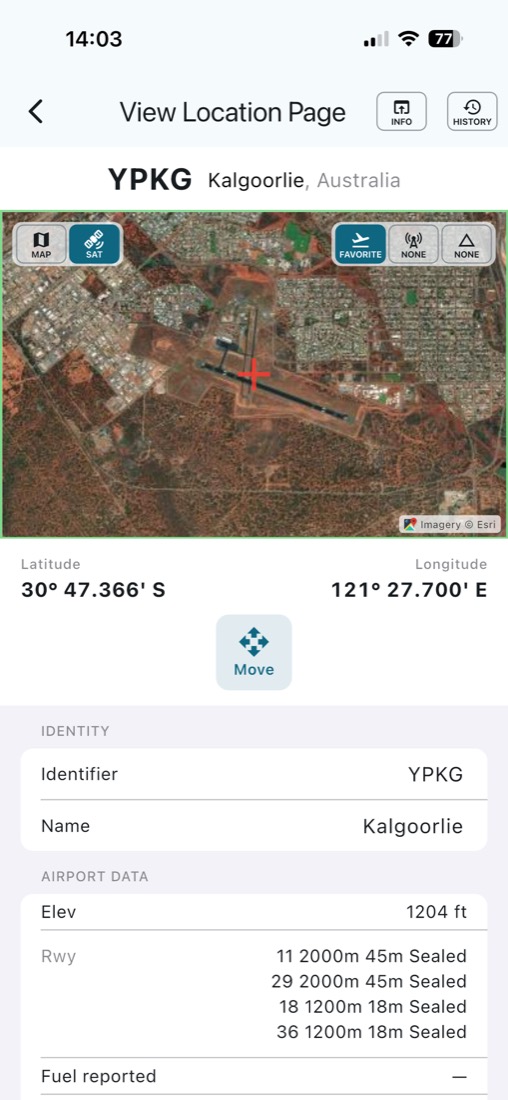
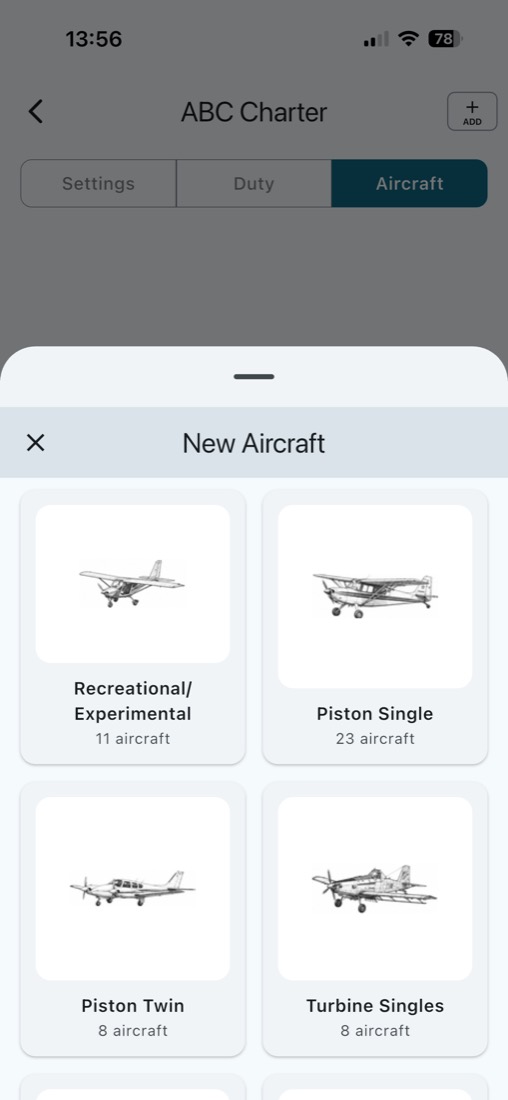
How it works
There is no online account. Load a company file, unlock a company profile if your organisation provided one, or start with the demo profiles. Confirm every airport on the map before you plan. Day Planner and Trip Planner stay locked until you have added an aircraft.
The app can follow your phone language, or you can pick one of 14 languages. A company can still change individual words to match their own wording.
Aviation — platforms
Time and Fuel Aviation runs on iPhone, iPad, Android, Windows, and Mac. Marine, Road, Drone, and Agriculture will follow on the same devices.
Export to your EFB software
Time and Fuel can send the flight to 30 EFB and planning apps, each in the file that app expects. The common ones are an ICAO route you can copy and paste, ForeFlight, OzRunways, AvPlan, EasyVFR, and SkyDemon.
You can also export to Garmin Pilot, iFly GPS, FltPlan Go, FlyQ, WingX, SkyVector, Air Navigation Pro, DroidEFB, VFRnav, Airmate, Xavion, Avare, Enroute, SD VFR, Fly is Fun, Aviator, NexAtlas, RocketRoute, EuroFPL, Autorouter, the Brazilian AISWEB flight plan, SimBrief, Navigraph, and Alfaero.
Export straight to your aircraft FMS/GPS
Ten aircraft-hardware exports, written as the file that unit loads from a data card or USB stick.
- Garmin GNS, GTN, and G1000 flight plans, plus a GTN flight-plan file and a Garmin user-waypoint file.
- Universal Avionics UNS-1E.
- Dynon, GRT, and MGL.
- Advanced Flight Systems.
Wireless Flux Drive, instead of the thumb drive
The usual last step is still a USB stick: export the plan, carry it to the aircraft, and plug it in. Flux Drive replaces that walk. It is a small drive that lives in the FMS USB port. Tap Send to Flux Drive and the plan arrives over encrypted Bluetooth in about ten seconds, ready to load the way you already load a stick.
The first Flux Drive is for the Universal Avionics UNS-1E, and it works only with Time and Fuel. Sales coming soon.