
A split ticket, a TV, and a match at the counter
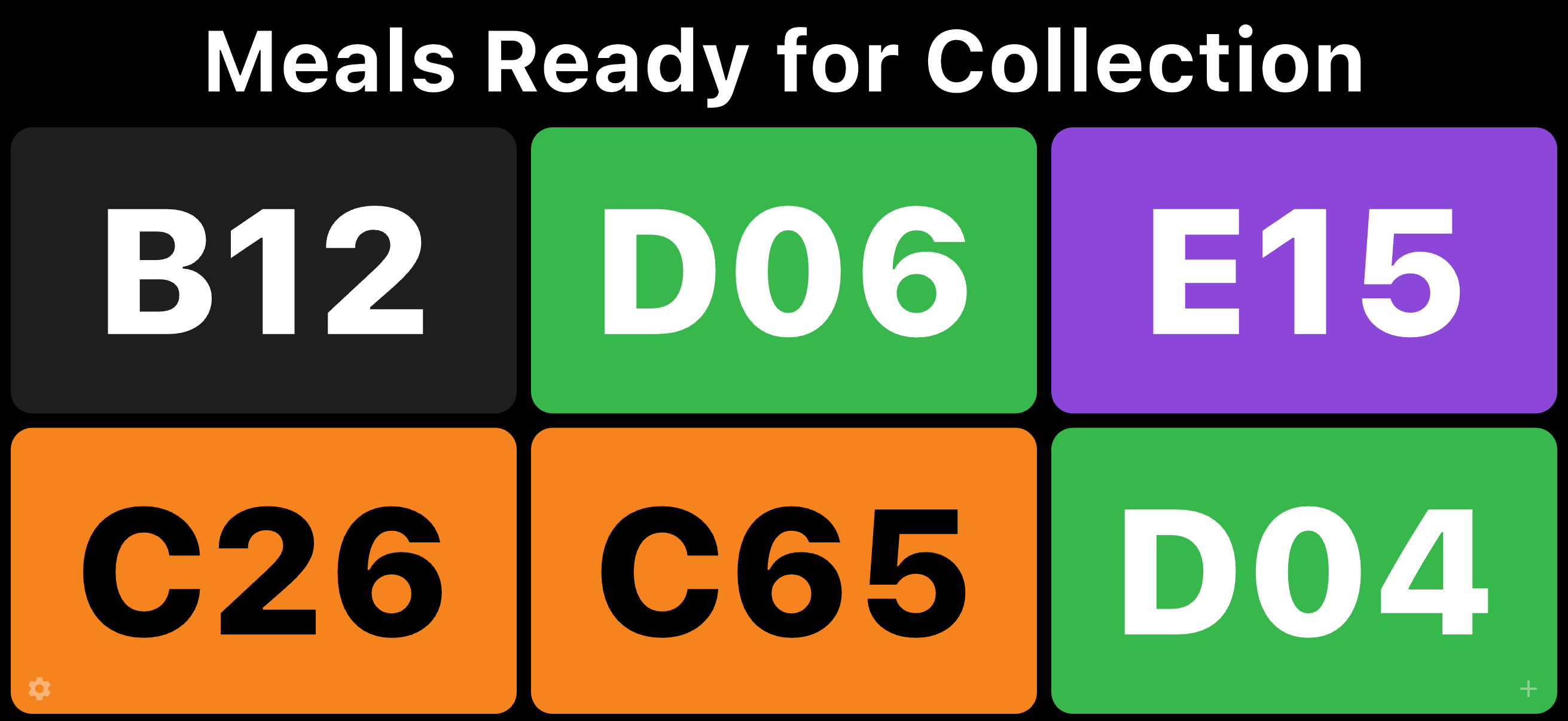
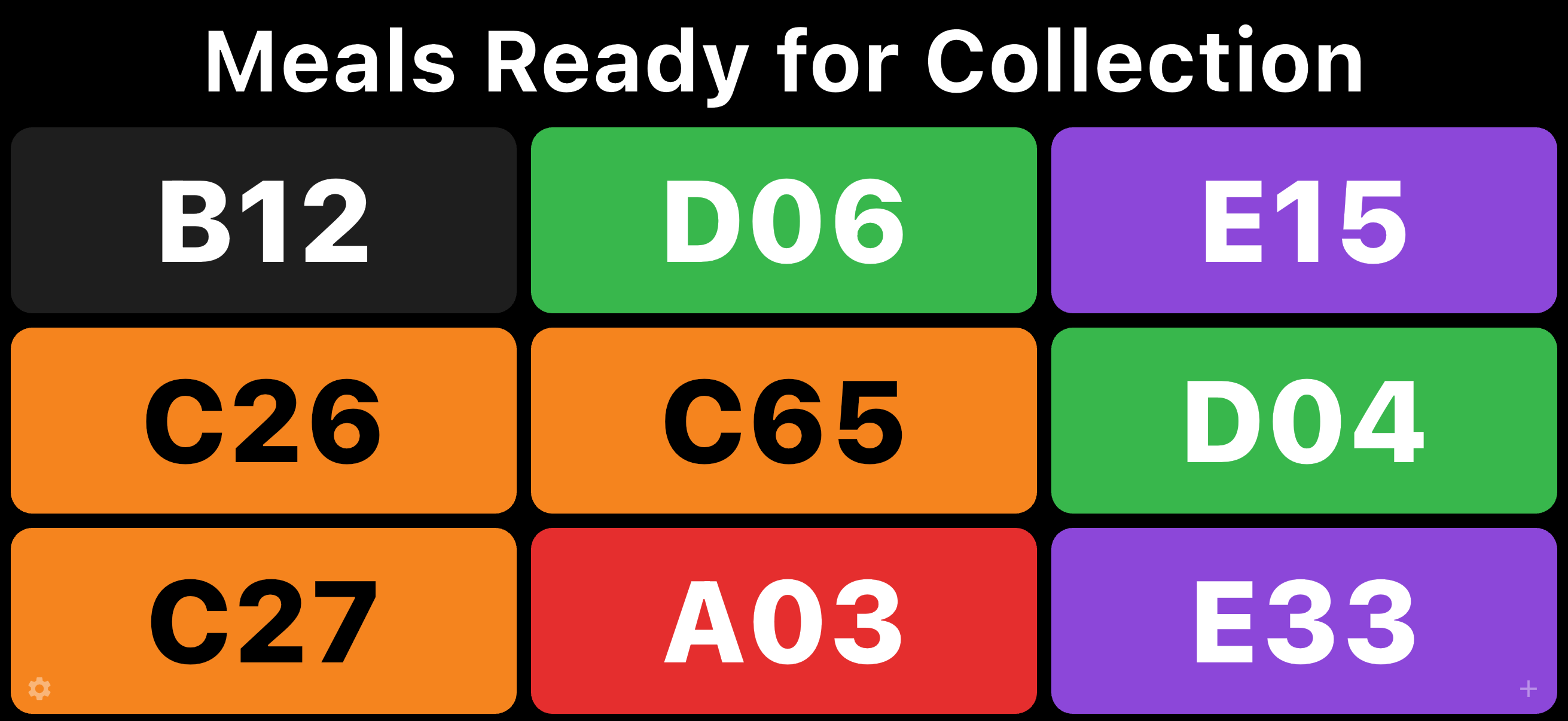
Meal Ready is for food vans, clubs, fast food, fundraisers, festivals, and sporting clubs — anywhere many orders need tracking. It also works for any queue where people wait for a service, not only food. Write the order on a coloured check ticket, give one half to the customer and the other to the kitchen, then put the ready number on a Smart TV.
See it on the device
Why it works
Simple, cheap, effective
Paper tickets you already buy, a phone or iPad, and a Smart TV that can mirror that device. No extra server, no account, no extra box in the van.
The two halves have to match
The customer keeps one half. The kitchen keeps the other with the order. When the colour and number appear on the TV, they bring their half to the counter and staff confirm it matches.
The device can be the access point
The phone or iPad can share a hotspot and the TV can join it. You do not need a venue network or a separate server — only a TV that can mirror the device.
Not only food
The same board works for any queue where people wait for a service: a colour and a number on the TV, a matching stub in the hand.
The ticket books
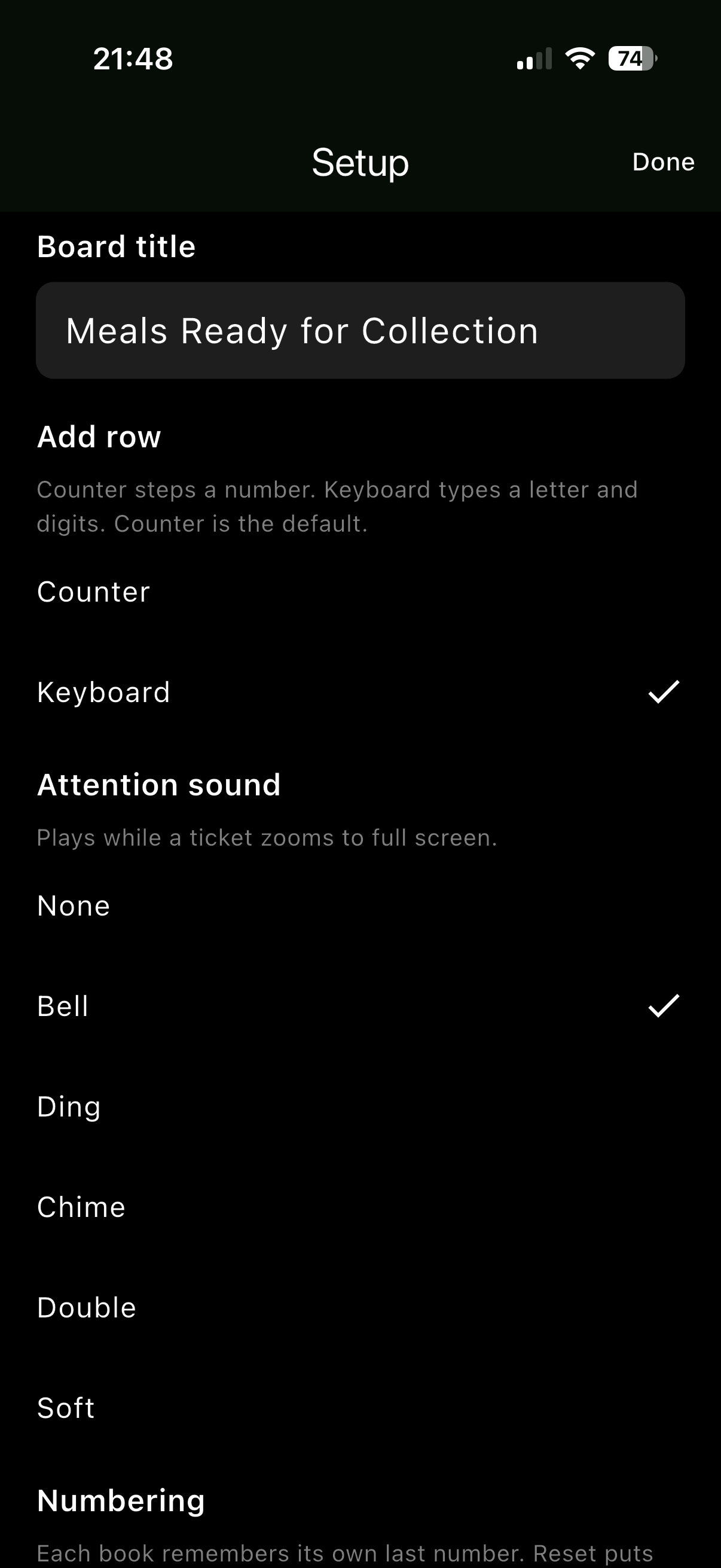
Write the order on a coloured check ticket, tear it, and keep one half with the customer and one with the kitchen. The books are the Olympic-style pads sold at Australian stationers, numbered 1–100, with a letter on the cover. The photos below are a J.Burrows Check Tickets 4-pack (Blue A, Red B, Green C, Purple D). That pairing is an example. Setup lets you pair any colour with any letter, including duplicates such as Green-D and Blue-D.
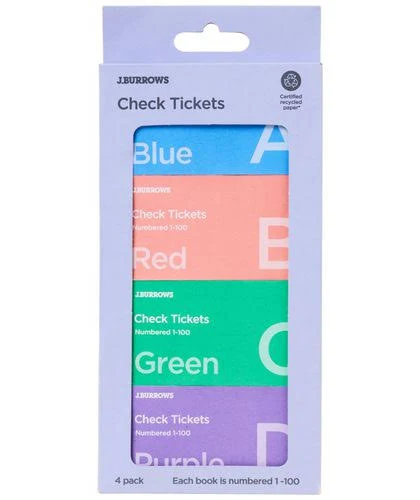
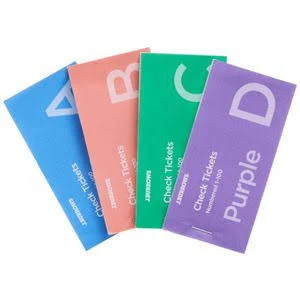
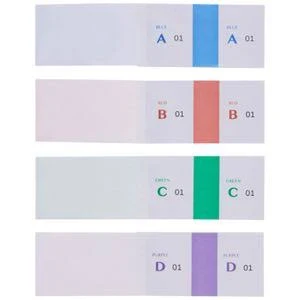
Photos: J.Burrows Check Tickets product images (Officeworks listing). J.Burrows is an Officeworks brand. TecAv is not affiliated with Officeworks or Hamelin. Used here to show the kind of coloured check tickets the app displays.
How it works
-
Take the order on a ticket
Write the order on a coloured check ticket. Give one half to the customer and the other half to the kitchen.
-
Keep the kitchen half with the order
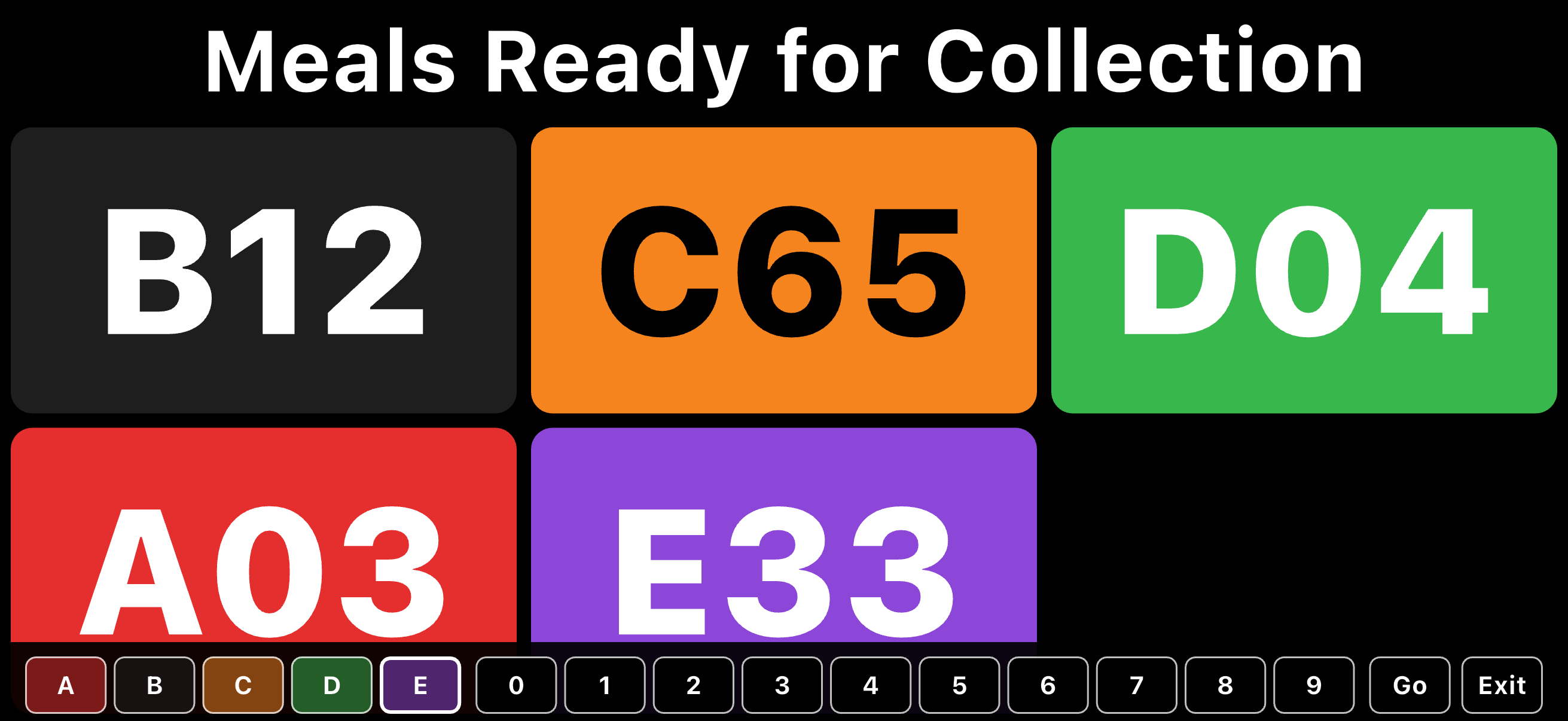
When the order is ready, that kitchen half stays with the meal. Enter the same colour and number into Meal Ready on the phone or iPad.
-
The customer sees it on the TV
Mirror the device to a Smart TV (AirPlay, the TV’s own mirroring, or Chromecast). They see their colour and number, bring their half to the counter, and staff confirm the two halves match before handing over the meal.
-
Clear the tile
Triple-tap the tile when it has been collected. Tap + to add the next one. A single tap replays the attention zoom after a short wait.
What you need
A Smart TV that can mirror a phone or iPad, and that device (iOS 15 or later). The device can be the access point the TV joins. There is no extra server. No account — tickets stay on the device.
Meal Ready is a collection display. It is not a point-of-sale, food-safety, or official ticketing system. Staff remain responsible for matching the two halves of the ticket.
Availability on the Apple App Store and Google Play will be announced here.